
Install Your Private AI Studio

macOS

Apple Silicon (M1+) · Notarized by Apple

Requires macOS 15 or later.

Trusted by iOS users with a 4.9★ Rating · Android

Ready to Upgrade?

To upgrade to Starter/Creator, open the Reelify Mac app and click PLANS in the top right corner.


Haven't downloaded the app yet?

macOS

Apple Silicon (M1+) · Notarized by Apple

Trusted by iOS users with a 4.9★ Rating · Android

AI Clipping. Unlimited.Locally on your Mac. FREE TO START

Processed locally on your Mac · No uploads · No credit limits

Turn podcasts, interviews, and webinars into Shorts, Reels, and TikToks.

1 long Long-form video video → 10 short Short clip clips in ~90 sec

Creator Creator Creator
★★★★★ 3,200+ Creators | No card needed | Apple Notarized
Also rated 4.9★ on the iOS App Store
SOCIAL-READY CLIPS WITH AI

Turn long videos into
10 viral clips, in one click.

Creators
@benfrancis
Tutorials
@AJSmart
Podcasts & Webinars
@Agile-Finland
Coaches
@officialandyelliott
Keynotes
@AndyElliottOfficial
WHAT CREATORS ARE SAYING

Don't Take Our Word For It.

Read what happens when you finally stop editing manually.

You're sitting on a goldmine of content.
But you're digging with a spoon.

THE OLD WAY MANUAL GRIND

The Grind

Manual editing wastes time.
You miss hooks, rewatch footage endlessly.
Momentum dies in the timeline.
Your best content stays buried.
THE NEW WAY AI GENIUS

The Genius

Drop a long recording, make a coffee.
Come back to a week of clips.
Reelify finds the hooks; you polish and post.
Your videos never leave your Mac.
3-STEP PROCESS

From Raw Footage to Viral Clips

The complete content machine in 90 seconds

01
IMPORT 5 Sec

Import

Drag in any video. Podcasts, interviews, streams, courses. Your videos stay private on your Mac.

02
AI MAGIC 90 Sec

Analyze

Let our AI find the gold. In 90 seconds, it pinpoints 10 moments with the highest potential to go viral.

03
EXPORT & POST Instant

Export

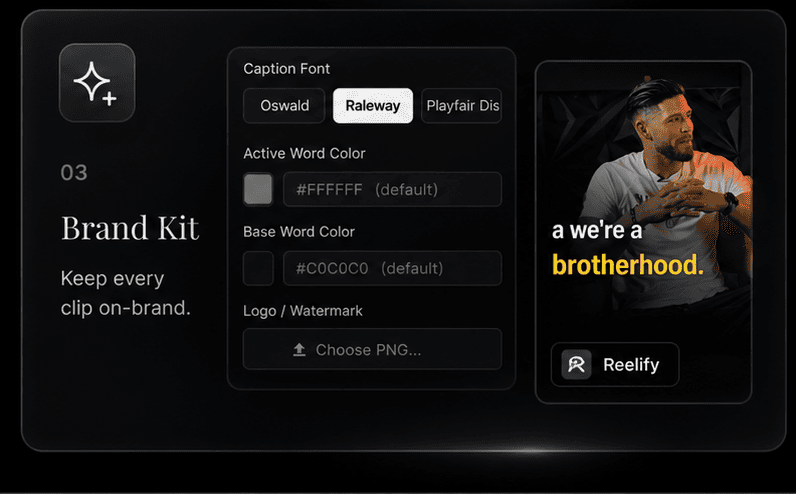
Get 10 ready-to-post clips. Add captions, brand them, and export in vertical format for TikTok, Reels, and Shorts.

Your Questions, Answered.

How is unlimited AI clipping possible?

Reelify AI uses an on-device Edge AI workflow. Instead of sending every video through metered cloud servers, the core AI work runs on your Mac.

Since your device handles the heavy processing, we do not need to meter your usage with monthly credit limits.

Is my footage uploaded anywhere?

Never. No video frames, no audio files, and no media metadata ever leave your Mac. This isn't just a privacy policy promise; it's a structural one. The application’s core architecture is built so the heavy video pipeline is strictly bound to your local environment. Your footage can't leave your Mac because the pipeline was never designed to send it anywhere.

What Macs does it run on?

Any Mac with Apple M-series silicon. The Neural Engine and unified memory architecture present in M1 chips and later is what makes our inference pipeline viable at this speed. Intel Macs are not supported, as the hardware substrate is fundamentally different.

This Isn't Just Editing. This is Intelligence.

How Reelify Gives You Superpowers

Built For Every Creator

See how different creators use Reelify to 10x their content output.

Find Your Unfair Advantage

Start for free. Upgrade when you're ready to dominate.

Free

Smart AI Clipping

Start creating viral clips instantly. Zero cost to start.

$0 to start
  • AI clip detection
  • Process up to 2 videos
  • Watermark-free exports

Upgrade to Creator for full, unlimited access.

Starter

Powered by Sovereign AI

For creators who prefer monthly flexibility.

$15 /month
  • Unlimited AI clipping, no credit caps
  • AI clip suggestions + refreshes
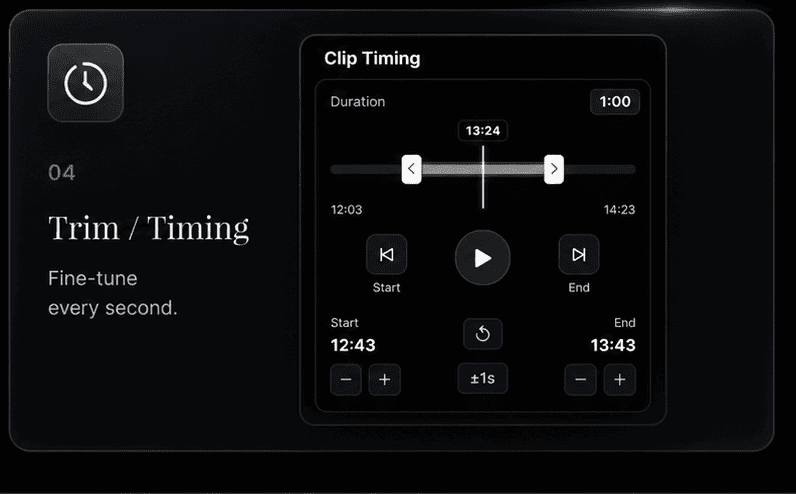
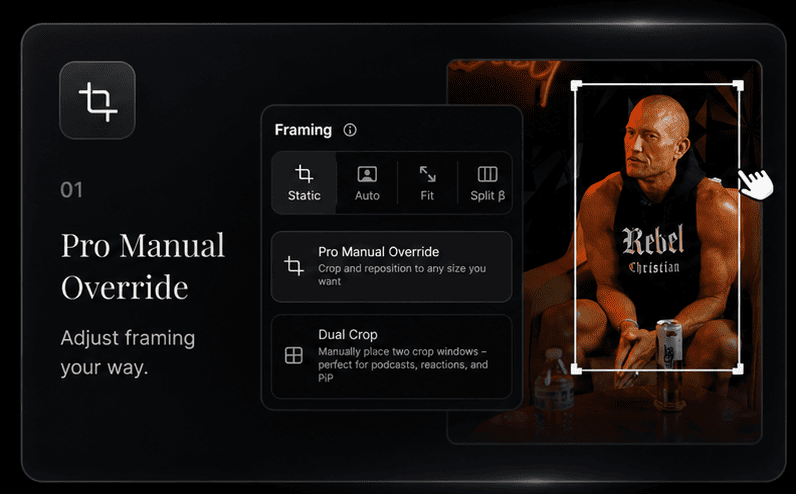
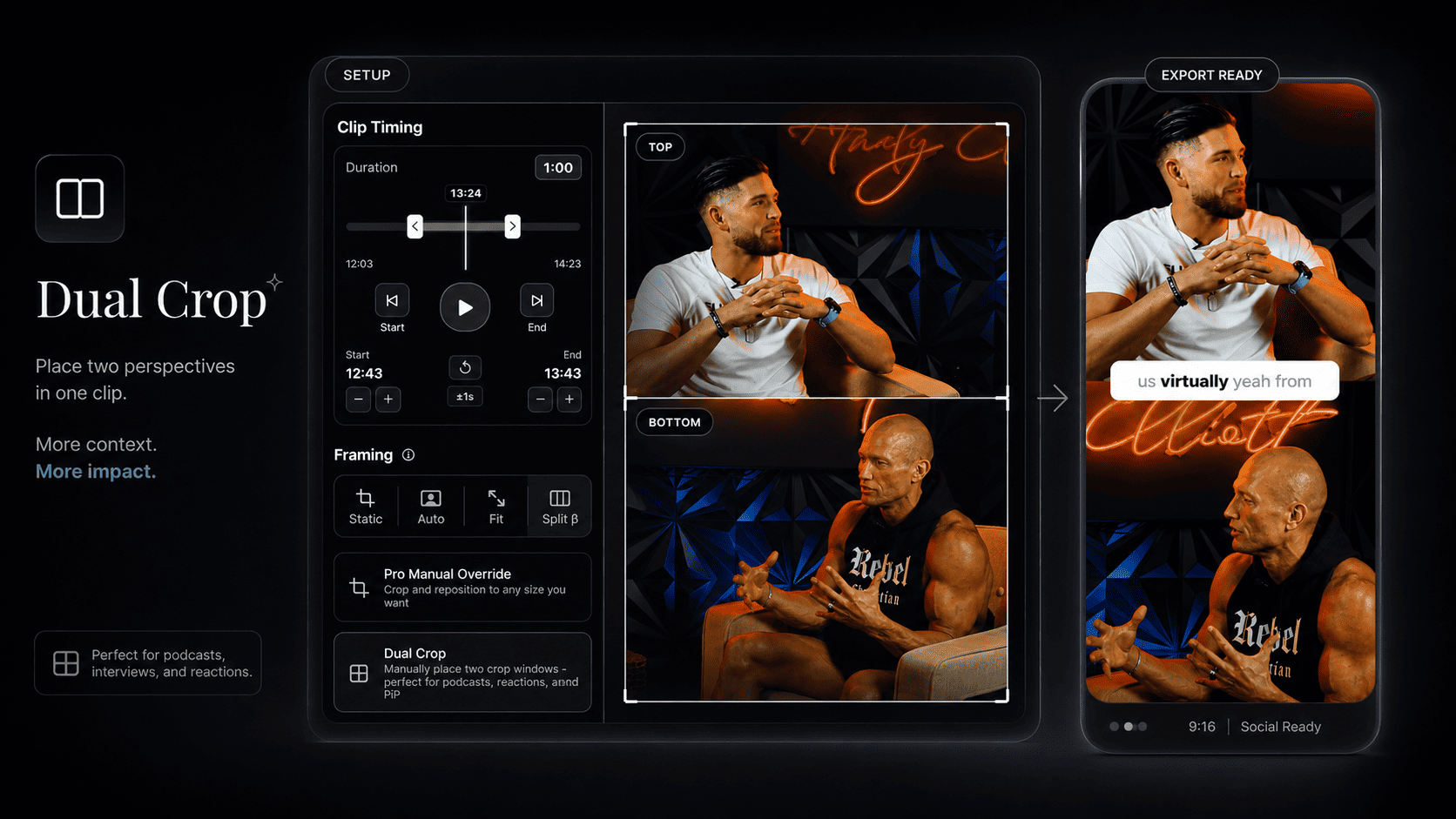
  • Captions, branding, reframing, and 9:16 exports
  • Watermark-free exports
  • Private on-device processing — videos stay on your Mac

Your Questions, Answered.

How is unlimited AI clipping possible?

Reelify AI uses an on-device Edge AI workflow. Instead of sending every video through metered cloud servers, the core AI work runs on your Mac.

Since your device handles the heavy processing, we do not need to meter your usage with monthly credit limits.

Is my footage uploaded anywhere?

Never. No video frames, no audio files, and no media metadata ever leave your Mac. This isn't just a privacy policy promise; it's a structural one. The application’s core architecture is built so the heavy video pipeline is strictly bound to your local environment. Your footage can't leave your Mac because the pipeline was never designed to send it anywhere.

What Macs does it run on?

Any Mac with Apple M-series silicon. The Neural Engine and unified memory architecture present in M1 chips and later is what makes our inference pipeline viable at this speed. Intel Macs are not supported, as the hardware substrate is fundamentally different.

Is the AI actually any good?

We were skeptical too. But our AI is specifically trained to identify narrative hooks, emotional variance, and engaging dialogue patterns. It's not just looking for loud noises; it's looking for compelling moments. The free version exists so you can see for yourself.

How much time will I really save?

Think of it this way: You can spend 6 hours scrubbing through a podcast to find 3 hooks, or you can spend 90 seconds with Reelify. Most of our users' output jumps by 300% in the first week because we removed the only bottleneck: the manual grind. We handle the 90% of soul-crushing work, like finding clips, reframing, and captioning, so you can focus on the 10% that actually builds your brand. We find the gold; you bring the genius.

Can I cancel my subscription anytime?

Of course. You can manage your subscription easily, with no hidden fees or long-term contracts. We're confident you'll want to stay, but we don't believe in holding you hostage.

Your next viral hit is
probably in your last video.

Stop letting your best moments die on a hard drive. Find them in the next 5 minutes.