
Start with the moments. Skip the rewatch.
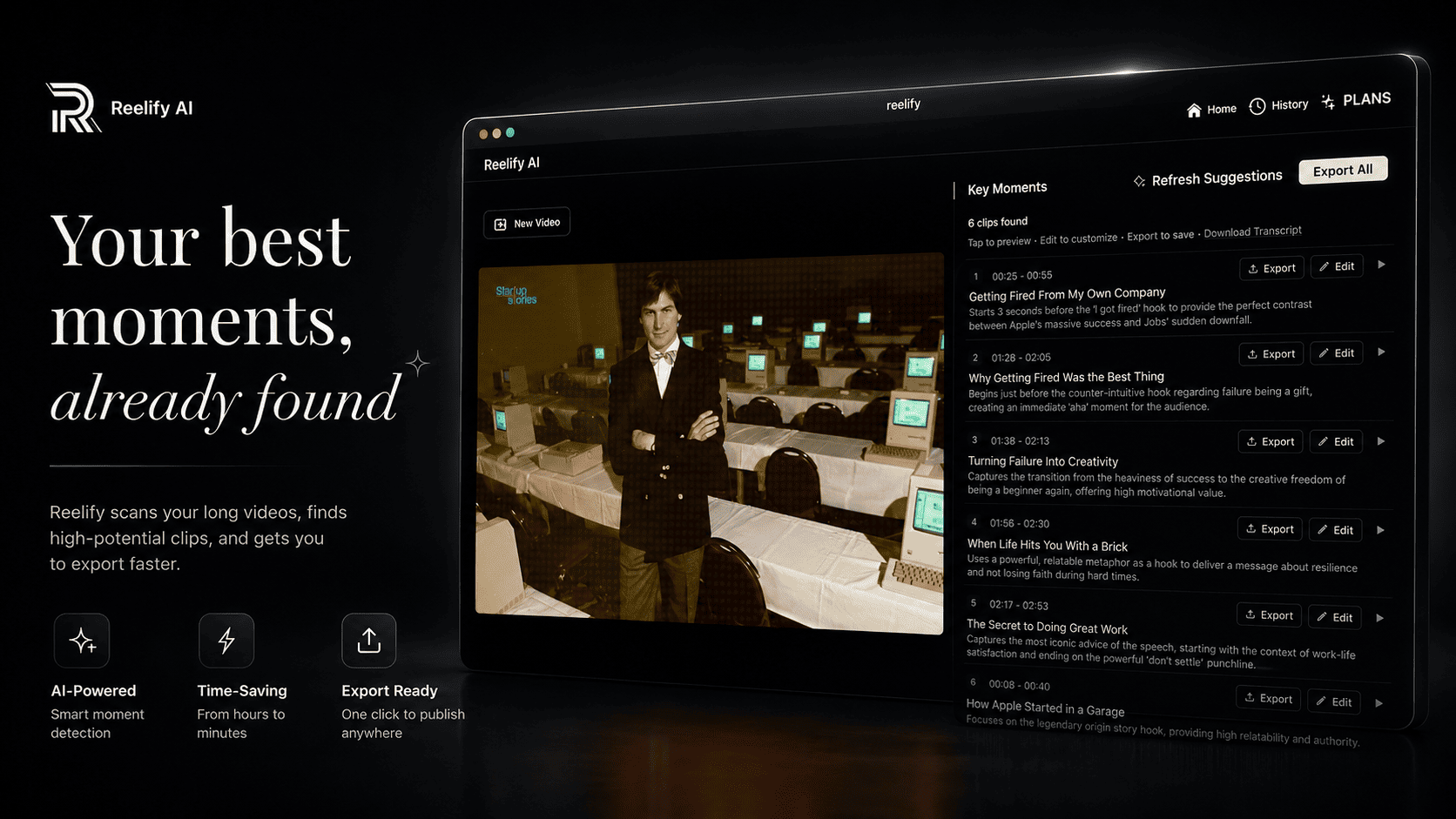
Reelify suggests clips with titles and timestamps. Preview the shortlist and choose the moments you want to share.
Processed locally on your Mac · No uploads · No credit limits
Turn podcasts, interviews, and webinars into Shorts, Reels, and TikToks.
1 long
video → 10 short
clips in ~90 sec
Read what happens when you finally stop editing manually.
"Reelify has done by far the best job at the best price in helping save me valuable time. Cause time is money$$$"
"No limits. Auto-Captions that are always spot-on. The customer service is surprisingly quick and NOT automated! I never leave reviews, but service far exceeded my expectations."
"It automatically clips my long videos into ready-to-post viral shorts. The quality is surprisingly good. I switched from Opus Clip and haven't looked back."
"It's wayyy cheaper than the competition, and it all happens on your own computer so it's FAST. This is now the only clipping app I use, and for a lifetime fee? You can't beat this."
"This program is amazing. It splits videos in minutes and creates nice titles. No credits which unbelievable. Find REELIFY is to find a diamond hidden away shinning brightly in a dark corner!!"
"Disruptive, private, and lethally fast. Processes large 4K footage on-device in minutes. The local-compute model is a game-changer — a must-have for Mac operators."
"I was able to take a YouTube video and clip it right to the perfect places thanks for this tool"
The complete content machine in 90 seconds
Drag in any video. Podcasts, interviews, streams, courses. Your videos stay private on your Mac.
Let our AI find the gold. In 90 seconds, it pinpoints 10 moments with the highest potential to go viral.
Get 10 ready-to-post clips. Add captions, brand them, and export in vertical format for TikTok, Reels, and Shorts.
Want to see everything it can do? Watch a full 15-minute walkthrough →
Reelify AI uses an on-device Edge AI workflow. Instead of sending every video through metered cloud servers, the core AI work runs on your Mac.
Since your device handles the heavy processing, we do not need to meter your usage with monthly credit limits.
Never. No video frames and no audio files ever leave your Mac. This isn't just a privacy policy promise; it's a structural one. The application’s core architecture is built so the heavy video pipeline is strictly bound to your local environment. Your footage can't leave your Mac because the pipeline was never designed to send it anywhere.
Any Mac with Apple M-series silicon. The Neural Engine and unified memory architecture present in M1 chips and later is what makes our inference pipeline viable at this speed. Intel Macs are not supported, as the hardware substrate is fundamentally different.
Find the moments, shape the edit, and export. All from one app on your Mac.
Reelify suggests clips with titles and timestamps. Preview the shortlist and choose the moments you want to share.
Generate captions, correct the wording, and choose your style. Adjust fonts, colors, size, and placement before exporting.
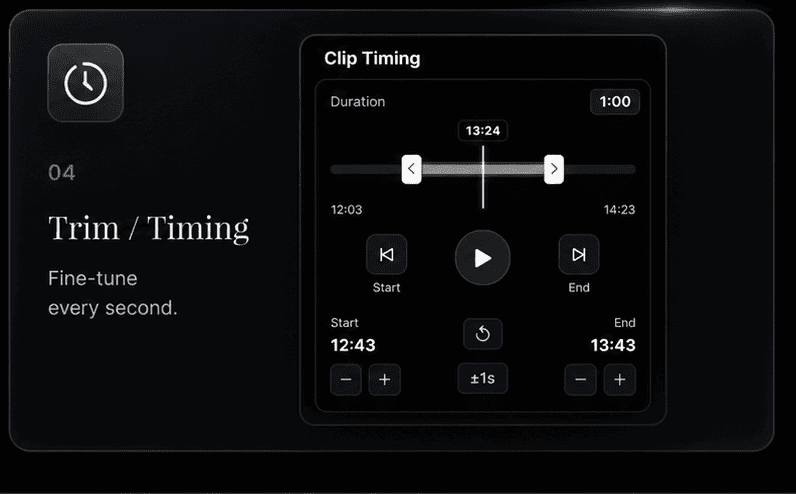
Adjust the start and end of a suggested clip, or create your own. Fine-tune the timing before you export.
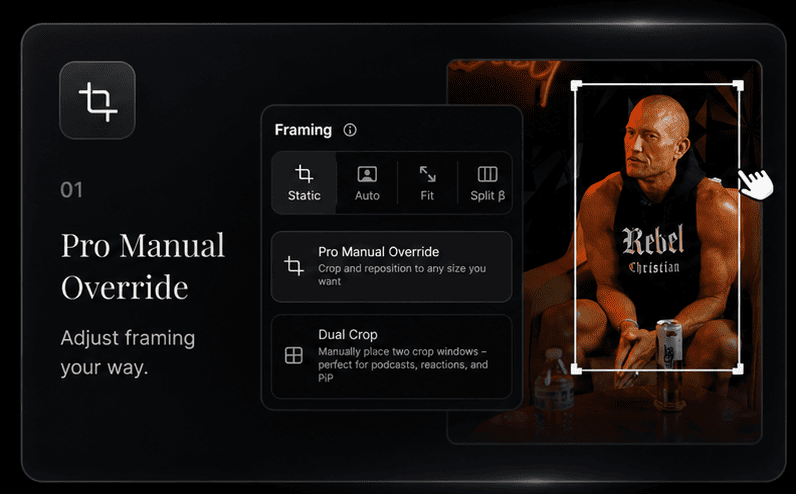
Reposition the subject and refine the crop. Preview your framing to make sure the right details stay on screen.
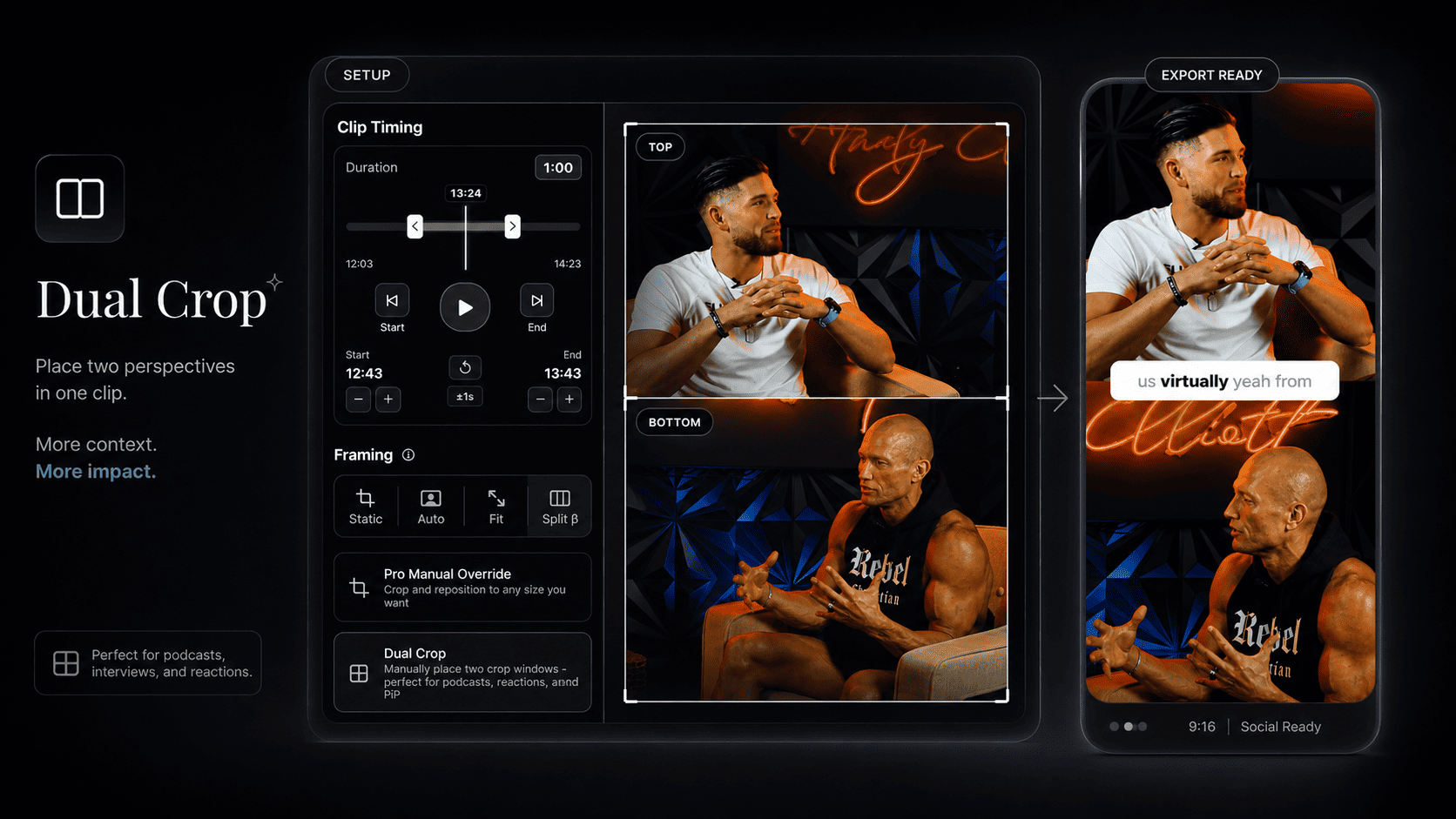
Use Dual Crop to show two speakers in one vertical clip. Give podcasts and interviews room for both perspectives.
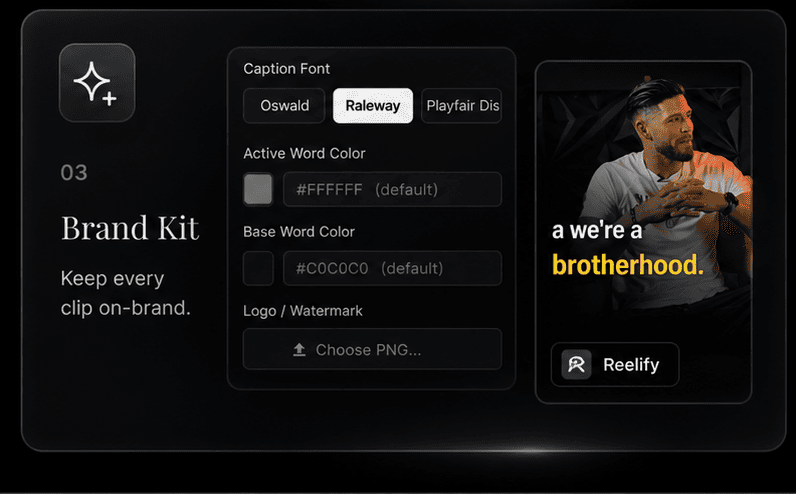
Save your caption styling and watermark as a brand preset, then reuse it across projects for consistent exports.
See how different creators use Reelify to 10x their content output.
Drop a 2-hour episode, get 10+ clips of your best takes, hot takes, and quotable moments. Turn every episode into a week of social content.
AI finds your clutch plays, funny reactions, and highlight moments from hours of VODs. No more scrubbing through footage to find that one clip.
Extract the money moments from your workout videos, such as form demos, motivational bits, and transformation reveals that stop the scroll.
Client sends 2 hours of talking head footage? Get a head start with AI-selected best moments. Deliver faster, charge more.
Turn coaching calls, webinars, and course content into bite-sized LinkedIn posts and educational shorts. Repurpose everything.
Drop a 2-hour episode, get 10+ clips of your best takes, hot takes, and quotable moments. Turn every episode into a week of social content.
AI finds your clutch plays, funny reactions, and highlight moments from hours of VODs. No more scrubbing through footage to find that one clip.
Selected excerpts from verified customers.
“This has saved us a huge amount of money and time. … At this point, it has basically already paid for itself.”
“I just created and shared 93 shorts in the last 30 days, that speaks for itself!”
“I dropped a 30-minute 4K clip into the app, and it analyzed and cut it up almost instantly.”
“Being able to clip as many videos as I want without limits is totally amazing.”
“Reelify feels clear, quick, stable, and intuitive. It does what it says it will do, and it does it well.”
“I also love that processing is done locally on my Mac, which is perfect when I’m traveling or have poor internet.”
“No monthly fees … worth every penny!”
Start for free. Upgrade when you're ready to dominate.
Smart AI Clipping
Start creating viral clips instantly.
Zero cost to start.
Upgrade to Creator for full, unlimited access.
One-Time Payment
Pay once. $0 monthly fees. Full year included.
No subscription. Never auto-renews.
Powered by Sovereign AI
For creators who prefer monthly flexibility.
Reelify AI uses an on-device Edge AI workflow. Instead of sending every video through metered cloud servers, the core AI work runs on your Mac.
Since your device handles the heavy processing, we do not need to meter your usage with monthly credit limits.
Never. No video frames and no audio files ever leave your Mac. This isn't just a privacy policy promise; it's a structural one. The application’s core architecture is built so the heavy video pipeline is strictly bound to your local environment. Your footage can't leave your Mac because the pipeline was never designed to send it anywhere.
Any Mac with Apple M-series silicon. The Neural Engine and unified memory architecture present in M1 chips and later is what makes our inference pipeline viable at this speed. Intel Macs are not supported, as the hardware substrate is fundamentally different.
We were skeptical too. But our AI is specifically trained to identify narrative hooks, emotional variance, and engaging dialogue patterns. It's not just looking for loud noises; it's looking for compelling moments. The free version exists so you can see for yourself.
Think of it this way: You can spend 6 hours scrubbing through a podcast to find 3 hooks, or you can spend 90 seconds with Reelify. Most of our users' output jumps by 300% in the first week because we removed the only bottleneck: the manual grind. We handle the 90% of soul-crushing work, like finding clips, reframing, and captioning, so you can focus on the 10% that actually builds your brand. We find the gold; you bring the genius.
Of course. You can manage your subscription easily, with no hidden fees or long-term contracts. We're confident you'll want to stay, but we don't believe in holding you hostage.
The Free plan gives you Reelify's complete clipping workflow at no cost. Turn 2 full-length videos into a library of clips, add captions, reframe, edit, and export every clip you create. No credit card is required. Free exports include a small Reelify watermark.
Stop letting your best moments die on a hard drive. Find them in the next 5 minutes.