Best Opus Clip Alternative: Free to Start with Unlimited AI Clipping on Mac
Stop paying per minute with expensive credits. Reelify AI offers Free to Start with unlimited AI clipping on Mac. Upgrade to $59 lifetime (one-time) or $15/mo Pro. Process clips in 90 seconds (not 20 min), keeps your videos 100% private, and delivers clean, professional exports.
| Feature | Reelify AI | Opus Clip |
|---|---|---|
| Pricing Model | Free to start + $59 Lifetime | Expensive Per-Minute Credits |
| Processing Speed | 90 Seconds (Local) | 10-20 Minutes (Upload) |
| Watermark | None (Pro) | Prominent Branding |
| Privacy | 100% On-Device | Cloud Upload Required |
| Platform | Native Mac App (M1+) | Web Only |
| Free Trial | Yes, No Card Required | Limited 90 Minutes |

For video editors, agencies, and power users

AI Auto-Detection & Captioning
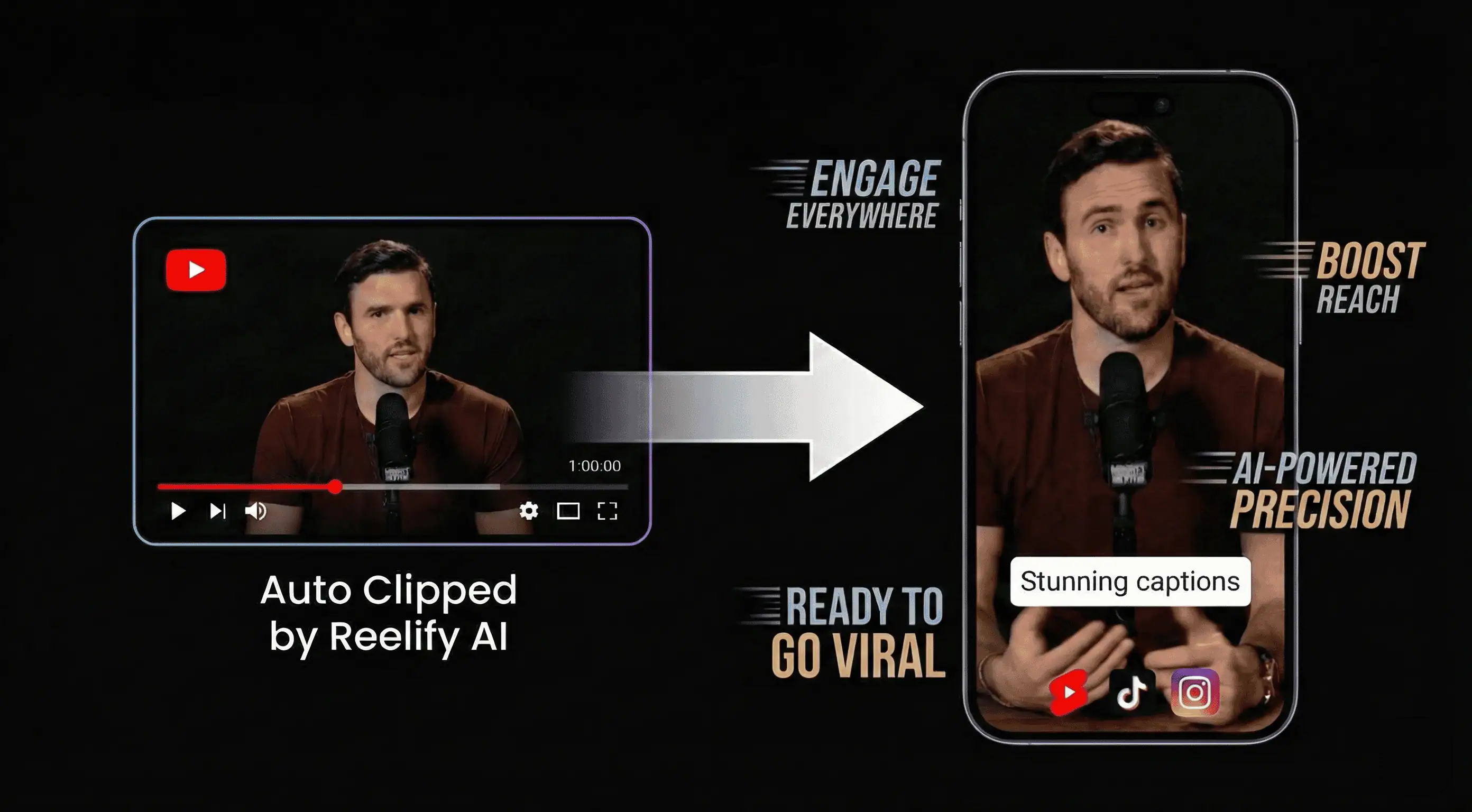
4K Export & Custom Branding
Why Creators Are Switching from Opus Clip
The real problems with Opus Clip that waste your time and money
Opus Clip Problems
Reelify AI Solution
Reelify AI vs Opus Clip: Full Comparison
Every feature compared so you can make the right choice
| Feature | Reelify AI ✓ | Opus Clip |
|---|---|---|
| Processing Speed | ✓ 90 seconds (local) | ✗ 10-20+ min (upload + queue) |
| Watermark on Free | ✓ Minimal, barely visible | ✗ Large, prominent branding |
| Video Privacy | ✓ 100% on-device, never uploaded | ✗ Uploaded to cloud servers |
| Native App | ✓ Native Mac App (M1+) | ✗ Web browser only |
| File Size Limits | ✓ Unlimited (local processing) | ✗ Upload size restrictions |
| AI Clip Quality | ✓ Finds viral hooks & emotional peaks | ✗ Generic clip detection |
| Bandwidth Usage | ✓ Minimal | ✗ Massive uploads required |
| Sensitive Content | ✓ Safe for confidential videos | ✗ Privacy risk |
| Credit Card for Free | ✓ Not required | ✗ Required for trial |
What Opus Clip Users Say After Switching
Real creators who made the switch and never looked back
The Problem: "I was paying $99/month for Opus Clip and still ran out of credits. For a podcast producer, that's ridiculous."
The Switch: "Reelify AI's Free to start plan means I process 10+ episodes a week without worrying about credits. I upgraded to the $59 lifetime license."
The Problem: "Opus Clip uploads took 20-30 minutes for my 4K footage. Total workflow killer."
The Switch: "90 seconds. That's it. Reelify AI processes locally so there's no upload at all."
The Problem: "I work with confidential client content. Uploading to Opus Clip's servers was a non-starter."
The Switch: "Reelify AI keeps everything on my device. Perfect for agency work with NDAs."
The Problem: "Opus Clip's AI was hit-or-miss. Half the clips were just filler moments."
The Switch: "Reelify AI actually finds the viral hooks. My TikTok engagement went up 3x."
The Problem: "The watermarks on Opus Clip's free tier were huge and distracting."
The Switch: "Reelify AI's branding is so subtle you barely notice it. My clips actually look professional now."
5 Reasons Creators Choose Reelify AI Over Opus Clip
Free to start vs Per-Minute Credits
Opus Clip charges per minute. Reelify AI gives you unlimited processing for FREE. Upgrade to $59 lifetime or $15/mo Pro for advanced features. That's clipping time to grow your content without paying.
90 Seconds vs 20 Minutes
No more uploading huge video files. Reelify AI processes locally on your device in about 90 seconds. Opus Clip takes 10-20+ minutes just to upload.
Clean Exports vs Branded
Opus Clip slaps prominent watermarks on free exports. Reelify AI keeps branding minimal and subtle—your content stays the focus.
100% Private vs Cloud Upload
Your videos never leave your device with Reelify AI. Opus Clip requires uploading your content to their cloud servers. Privacy matters.
Native Mac App vs Web Only
Reelify AI has a native Mac app optimized for Apple Silicon (M1+). Opus Clip is web-only. Native app = faster, smoother, better experience.
Switch from Opus Clip in 3 Steps
Start creating better clips in under 2 minutes
1
Download Free
Get Reelify AI for Mac. No account, no credit card, no friction.
2
Drop Your Video
Pick any video. Watch Reelify AI find 10 viral clips in 90 seconds flat.
3
Cancel Opus Clip
Once you see the difference, cancel Opus Clip and keep the $19+/mo savings.
Frequently Asked Questions
Everything you need to know about switching from Opus Clip
Reelify AI is the best Opus Clip alternative in 2026. Reelify AI for Mac offers free-to-start AI clipping (no credits), processes videos locally in 90 seconds (vs 10-20 minutes), exports with only minimal branding, and keeps your videos 100% private on your device. Upgrade to $59 lifetime or $15/mo Pro for advanced features.
Reelify AI for Mac offers free-to-start video processing. No credits, no limits. Upgrade to $59 lifetime (one-time) or $15/mo Pro for advanced AI features. Opus Clip uses per-minute credits that get expensive for power users who process a lot of content.
Yes, Reelify AI is significantly faster. Reelify AI processes videos locally in about 90 seconds. Opus Clip requires uploading videos to cloud servers, which takes 10-20+ minutes for large files, plus additional processing queue time. No upload = no wait.
Reelify AI has minimal, barely visible branding on free exports—nothing like Opus Clip's large, distracting watermarks. Your content stays the focus. Upgrade to remove all branding completely.
Yes, Reelify AI keeps your videos 100% private. Videos never leave your device—only lightweight text data is sent for AI analysis. Opus Clip requires uploading your entire video to cloud servers for processing. If you work with confidential content, Reelify AI is the only safe choice.
Reelify AI has a native Mac app optimized for Apple Silicon (M1+). Opus Clip is web-based only and requires a browser. A native app means faster performance and a smoother experience.
Switch because Reelify AI offers: free-to-start processing on Mac (no credits), 90-second processing vs 20+ minute uploads, minimal branding, 100% privacy vs cloud uploads, and a native Mac app optimized for Apple Silicon. It's better in every way that matters.
Ready to Try Unlimited AI Clipping?
Join thousands of creators who switched from Opus Clip. No uploads. Minimal branding. No compromises.